
▸ On this page 6 sections
This article preserves research originally published in February 2022. Microsoft Defender terminology, rule coverage, and enforcement behavior have continued to evolve, so reproduce the result only in an authorized lab and revalidate it against the exact platform and engine versions you are testing.
Introduction
Windows Defender Exploit Guard (WDEG) grouped several Windows security controls intended to reduce common malware and post-exploitation paths. This article focuses on one of those controls - Attack Surface Reduction (ASR) - and documents a bypass observed in our 2022 lab environment.
The objective is to explain the rule model, identify the rule under test, and preserve the original lab observation without presenting it as a statement about current Microsoft Defender behavior.
What is Windows Defender Exploit Guard?
WDEG was presented as a collection of Windows protection capabilities. The four primary components were:
- Attack Surface Reduction: blocks or audits risky application behaviors commonly abused during attacks.
- Network Protection: prevents connections to untrusted or malicious destinations.
- Controlled Folder Access: restricts untrusted processes from modifying protected folders.
- Exploit Protection: applies system-wide and per-process mitigations such as DEP, ASLR, and CFG.
This research concentrates on ASR.
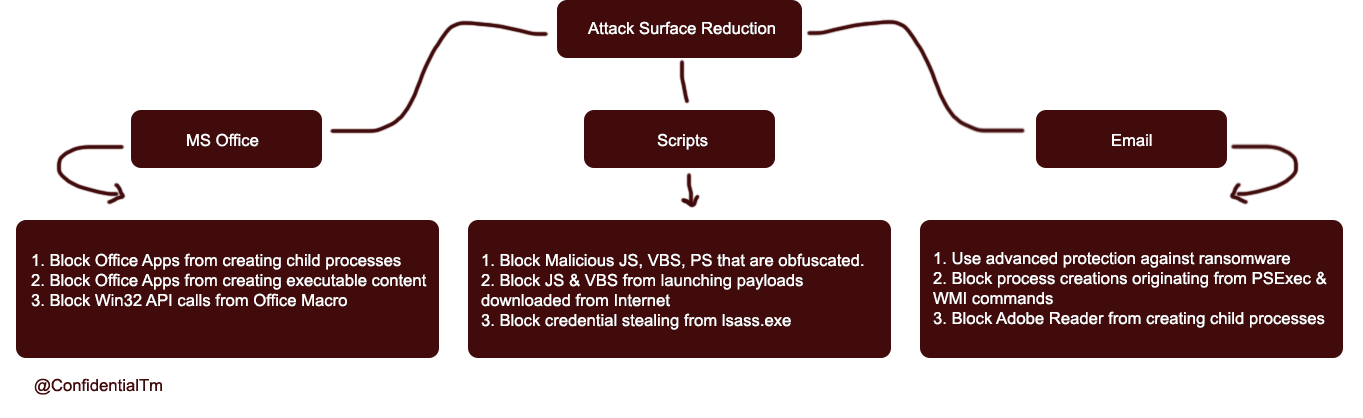
How ASR rules are configured
ASR rules are identified by GUIDs and can be managed through PowerShell, Group Policy, Microsoft Configuration Manager, and other supported management channels.
The following list reflects the rules referenced in the original 2022 research. It is a historical snapshot, not a complete current rule inventory.
| Rule | GUID |
|---|---|
| Block abuse of exploited vulnerable signed drivers | 56a863a9-875e-4185-98a7-b882c64b5ce5 |
| Block Adobe Reader from creating child processes | 7674ba52-37eb-4a4f-a9a1-f0f9a1619a2c |
| Block all Office applications from creating child processes | d4f940ab-401b-4efc-aadc-ad5f3c50688a |
| Block credential stealing from LSASS | 9e6c4e1f-7d60-472f-ba1a-a39ef669e4b2 |
| Block executable content from email client and webmail | be9ba2d9-53ea-4cdc-84e5-9b1eeee46550 |
| Block executable files unless they meet prevalence, age, or trusted-list criteria | 01443614-cd74-433a-b99e-2ecdc07bfc25 |
| Block execution of potentially obfuscated scripts | 5beb7efe-fd9a-4556-801d-275e5ffc04cc |
| Block Office applications from creating executable content | 3b576869-a4ec-4529-8536-b80a7769e899 |
| Block Office applications from injecting code into other processes | 75668c1f-73b5-4cf0-bb93-3ecf5cb7cc84 |
| Block Office communication applications from creating child processes | 26190899-1602-49e8-8b27-eb1d0a1ce869 |
| Block process creations originating from PSExec and WMI commands | d1e49aac-8f56-4280-b9ba-993a6d77406c |
| Block untrusted and unsigned processes that run from USB | b2b3f03d-6a65-4f7b-a9c7-1c7ef74a9ba4 |
| Block Win32 API calls from Office macros | 92e97fa1-2edf-4476-bdd6-9dd0b4dddc7b |
| Block JavaScript or VBScript from launching downloaded executable content | d3e037e1-3eb8-44c8-a917-57927947596d |
| Block persistence through WMI event subscription | e6db77e5-3df2-4cf1-b95a-636979351e5b |
| Use advanced protection against ransomware | c1db55ab-c21a-4637-bb3f-a12568109d35 |
The rule under test
The lab focused on:
Block JavaScript or VBScript from launching downloaded executable content
GUID:d3e037e1-3eb8-44c8-a917-57927947596d
The rule is intended to prevent JavaScript or VBScript from launching executable content obtained from the Internet. Script-based malware frequently uses this pattern as a downloader or first-stage launcher.
The rule was enabled in the test environment with an elevated PowerShell session:
Add-MpPreference `
  -AttackSurfaceReductionRules_Ids "D3E037E1-3EB8-44C8-A917-57927947596D" `
  -AttackSurfaceReductionRules_Actions Enabled
ASR behavior depends on the operating system, Defender platform and engine versions, policy source, exclusions, and the exact process chain. Record all of them before treating a test result as reproducible.
Lab observation
Our team developed an internal lab tool to evaluate the rule and related execution paths. In the tested 2022 environment, the tool demonstrated a path that reached the requested behavior despite the rule being enabled.
This article intentionally omits payload code and implementation details. The useful part of the finding is the validation method: confirm the applied rule, capture the complete process tree, verify the policy source, and compare the observed result with Defender telemetry rather than relying only on whether a child process appeared.
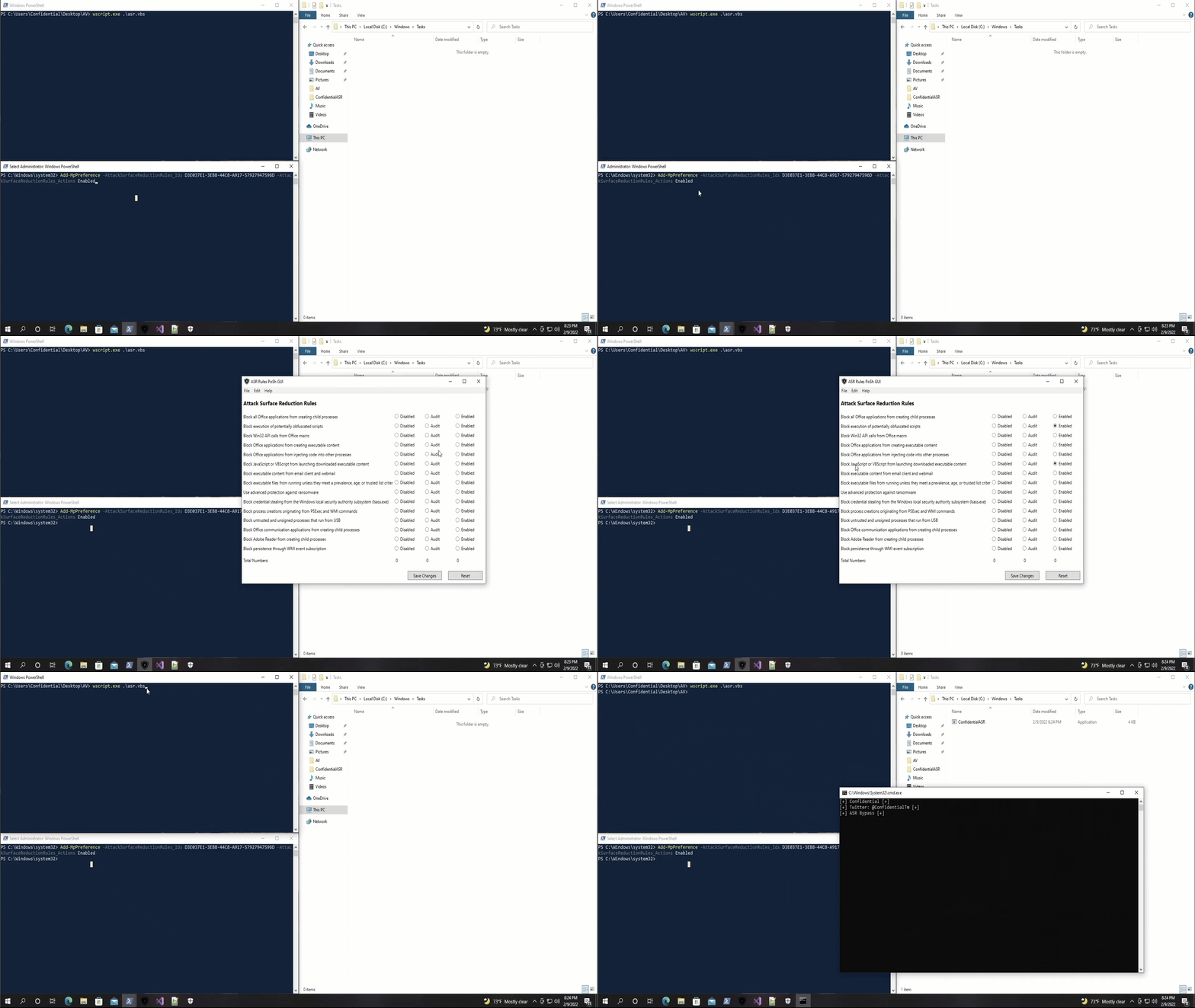
Do not assume this 2022 behavior still reproduces. Microsoft has added rules, deployment modes, telemetry, and enforcement changes since the original test. Treat this as an archived research result and verify current behavior independently.
Takeaway
ASR rules materially reduce common attack paths, but rule names and enabled states alone do not prove that every process chain is covered. Effective validation requires version-aware testing, telemetry review, and careful handling of exclusions.
The defensive lesson is straightforward: deploy ASR rules in a controlled rollout, review audit data, minimize exclusions, and test the exact applications and script hosts present in the environment.